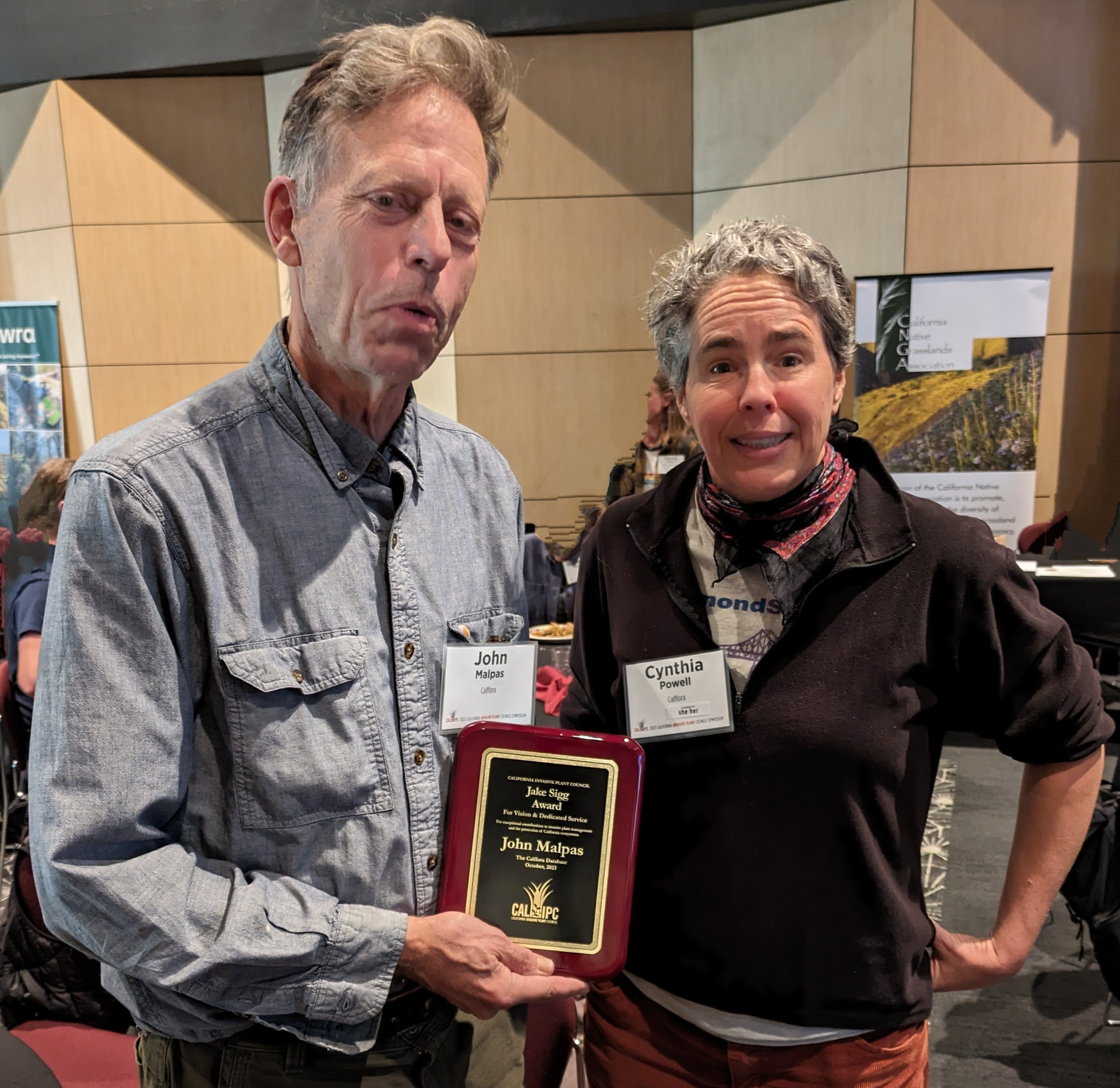
John Malpas, a member of Calflora staff, received this year's
Jake Sigg award
for vision and dedicated service in protecting California’s wildlands from invasive plants.
At the
2023 Cal-IPC Symposium,
October 25 - 27, CSU Chico.
Are you having a problem with a Calflora application, or do you have a suggestion?
Make a GitHub account and submit a bug report.
You can also view reports submitted by other users.
Introducing the Photo Essay, a kind of report that can be generated from either Observation Search or My Observations.
All photos for each observation are included.
What Grows Here? (WGH) can display a thorough plant list for a chosen area of the state.
Select the area by moving and zooming the map, or draw a polygon,
or choose a polygon from a background layer, such as the
boundary of a park.
To find a named location in California, open
LOCATION, and enter the name.
When you choose from the list of matching names, the map will jump to that place.
WGH provides some interesting ways to visualize plant data --
for instance, displaying the locations of several plants
on the map at the same time, assigning a different icon
to each plant. A set of plant - icon assignments is called a palette.
Icons and Palettes
To view the locations of a plant
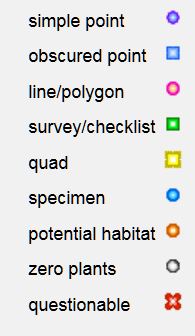
on the map, you have a choice of various colored icons.
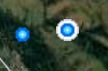
The default icon is a blue point:
A palette is a set of plant - icon assignments.
As you choose icons to display various plants in the results, you are
implicitly making a custom palette.
Custom palettes can be saved and used again.
Symbology.
Open TOOLS / Symbology to control which colored icons are used to represent points on the map.
There are two themes available: Plant Name and Management Status.
DETAILS
In
Observation Search
when you click on the ID of an observation, a menu appears. Click
detail in this menu to go to the Observation Detail page.
Here is an example: Mary Conway's record of
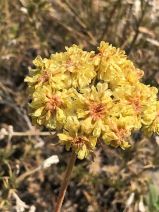
Eriogonum umbellatum var. polyanthum
This page shows basic information about the record.
If you are signed into Calflora as a contributor, you can open
COMMENTS to read others' comments on the record,
or add your own comment.
Click on the Observer PROFILE to see basic information about the contributor.
If the contributor added photos to the record, they appear on the
right hand side of this page.
If you are signed into Calflora as a contributor, you will see a "Like"
link under each photo. Click the link once to "like" the photo.
If you click on location-closeup,
you will go the Plant Distribution application for this plant, showing the
location of this observation record. This is an easy way to see if there are other
observations of the same plant nearby.
Click on the
Plant Observation Entry link to see all of the information
the contributor added to this record.
(Plant Observation Entry is the observation editor application.)
To view this observation in its spatial and ecological context, there are
two links at the bottom of the page.
The
What Grows Here?
link shows which other plants grow near the location of this observation.
The
Observation Search
link shows other observations that have been made near the location of this observation.
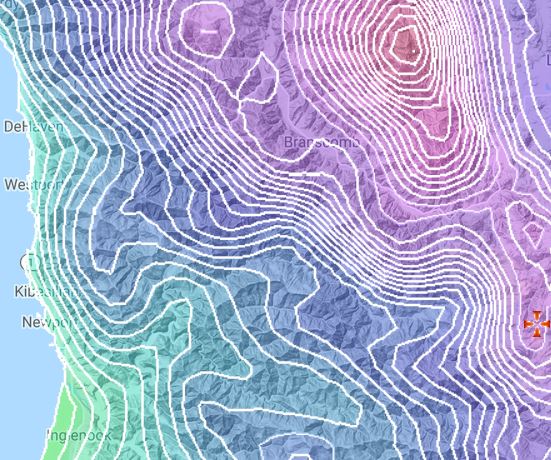
The various mapping applications can show a number
of background layers, or polygon sets.
These include
Accumulated Temperature,
Growing Season,
December Low,
July High,
and
Temperature Range
(all derived from data from the Prism Climate Group)
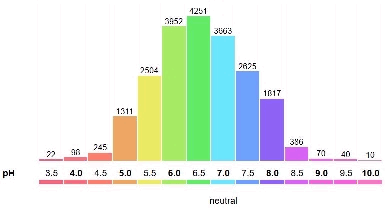
and various soil factors (eg. pH, Salinity)
from the NRCS SSURGO database.
• Symbology: From History / MAP, you can choose how the points indicating historical records will be colored.
For instance, by plant name, or by management status.
v. 2.0.121 released September, 2018
v. 2.0.111 released November, 2017
• As an Indenpendent, you can load your own list of historical records
• A map interface shows the bounding box for each offline map cache
v. 2.0.95 released April, 2016
• The map has a scale bar
• Polygons of historical records are visible
v. 2.0.76 released April, 2015
• View historical records
• Make new assessments of historical records
v. 2.0.48 released April, 2014 (first public version)
v. 1.5.4 released May, 2019
• Take photos from the gallery (picking up coordinates and date) OR from the camera.
• When you try to refresh without network connectivity, you will get a warning.
v. 1.4.1 released October, 2018
v. 1.3.4 released June, 2018
v. 1.3.3 released April, 2018
• Works on a wifi only iPad, with an external GPS receiver (Bluetooth connected)
v. 1.3 released December, 2017
v. 1.1.2 released June, 2017
v. 1.0 released April, 2017 (first public version)
to view, enter or edit a plant observation record.
Photos can be uploaded directly from your computer
to become part of your observation record.
If your photo is already on the web
you can add the URL of the photo to an observation record.
If you have a geotagged photo, and you add it to a new record,
POE will extract the location and the date from the photo.
DETAILS
to upload an entire dataset directly into the database.
Copy and paste from a spreadsheet, or upload a shapefile.
During the process, you assign
fields in the dataset being uploaded
to fields in the Calflora database.
When you upload a shapefile,
the server will take it apart and return the data
to this application. Then you assign the attributes from the shapefile
to database fields.
You can be notified by email whenever new observation records show up in the database.
For instance, you might want to be alerted when any new observation
of a certain plant shows up in a certain area.
To set up an alert, first use
Observation Search
to search for the plants you are interested in, in the area you are
interested in.
Then open TOOLS / SAVED SEARCHES, and save your search by name.
Then go to
My Calflora / Alerts.
You will see the search you just saved in the
table of AVAILABLE SEARCHES. Click on that search, and choose whether
you want the alert every week or every month.
If you are a member of the group, you can use any one of these saved searches as
an email alert.
Comment on Observations
There is a
comment system
for observations. If you are registered
as a contributor, you can add a comment on any observation record.
If you come across an observation where the plant identification looks wrong,
or it seems like the plant is growing in someon's garden,
put a comment on it!
You will be helping with Calflora's overall quality control.
From
My Calflora / Comments,
you can look up all the comments you have
made, or all the comments others have made about your observations.
Informed comments can be a helpful source of feedback
to the person responsible for an observation.
For legacy observation data (where the observer is no longer accessible),
comments help Calflora get erroneous records out of public view.
Customize your Calflora Experience
My Calflora / Preferences:
If you have added photos to your Calflora observations,
you can choose to let others use your photo
according to a Creative Commons CC BY-NC 4.0 license
(Creative Commons Attribution-NonCommercial 4.0).
This only applies to photos attached to published observations..
You can also specify your own center point for
observations. This becomes the starting point for various applications, including
Plant Observation Entry, My Observations, and Observation Search.
(If you haven't specified a center point, these applications start
near Fresno.)
If you belong to
groups,
you can specify a default group for all new observations you make with a phone app.
You can also ask to be notified by email
when there is new activity in one of your groups,
or when there are new comments about your records.
Use this application to define your own plant lists
to be used in search applications (Observation Search, What Grows Here?) and the phone applications.
Cut and paste a list of plant names from anywhere.
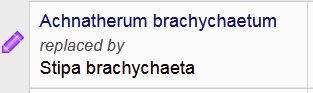
The application accepts older scientific names, and resolves them
to current Calflora names.
(As of November, 2018) If you enter just a genus in a plant list,
it will be resolved to all native plants in that genus.
Certain special purpose plant lists
are available for all users.
The
Monarch Nectar
plant list is a work in progress.
If you are aware of other wild plants that Monarchs use for nectar,
anywhere in California, native or not,
please write to us.
Search for records of a particular plant, set
Output Format = KML
and press Download File
to view the results in Google Earth.
If there are any lines or polygons in the results,
you will be able to see them in Google Earth.
The Great Places
application shows
places in California which are particularly good for viewing native plants.
The search page shows the number of acres and the density
(native species per acre) for each place.
If you have already made a bunch of observations with photos
in a particular area, then that area would probably make
an excellent Great Place.
The places can include both wild locations and gardens where natives have been planted.
There are three component applications: a home/search page, a page about a particular place, and an editor for adding a new place page.
Use this application to search for native plants likely to grow well at
your chosen location. Click on the map to indicate the location, press SEARCH,
and the results will show commercially available native plants
appropriate to the elevation, climate and soil of the chosen site.
If there is an important existing plant at the location, and you want to choose other plants that
grow with
that plant, open More Criteria and enter the name of the plant.
When you are seeing a good plant list, you can download it as a spreadsheet or email
it to yourself, and then forward it to native plant nurseries
to find out what they have in stock.
The TOOLS menu also includes a Download spreadsheet link. Here is an example:
From the Taxon Report page for the plant, click on the link to go to the Location Suitability page.
Click on the map to indicate the location of your garden. Scan the third column, "LOCATION VALUES", to see if there are any pink warnings indicating location values outside of the tolerances of the plant.
If there are warnings, you may want to try a different plant.
If there are NO warnings, then this plant is compatible with the conditions at your location. As a further sanity check, press
SEARCH in the map area
to find out if this plant has been reported growing wild, close to your location. If it does grow close by, this is a good sign that it could do well at your site.
(See also the
discussion on CNPLX.)
Watch this
YouTube VIDEO
describing the Taxon Report page.
The Taxon Report page is now mobile friendly.
If you view it on a narrow width device such as a phone or tablet, it will adapt to
show the most important information in a single long column.
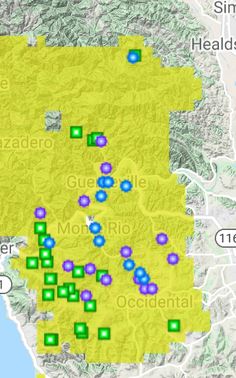
The map on the Taxon Report page indicates
plant presence by means of points and quads (instead
of by colored counties).
The map shows elevation in colors inspired by a
classic USGS map.
Mouse over the map to see county names, and
click on the map to see all records from that county
in Observation Search.
From the Taxon Report page, there are prominent links to
Plant Characteristics and Associations
including associated organisms and growth characteristics
(climate and soil)
PlantID.net is a website which offers help in identifying
wild plants in Calfornia.
It has a really good search feature: from the top page, you can enter any of the following:
county plant type (eg. "shrub") flower shape flower color leaf shape
and the site will find the matching plants.
The site has lots of big photos, some of them annotated.
This site is the brainchild of Bruce Homer-Smith, and more useful features are coming.
For instance, here is an article on
Marin Manzanitas.
The Calflora Taxon Report page also has a link to the PlantID.net
page for the same plant, for those plants now covered by PlantID.net.
The link is in the More Information section; for instance
Arctostaphylos canescens.
This page shows the climate and soil tolerances
of a plant (the conditions under which the plant will grow).
Press the
Location Suitability
link on this page to match plant tolerances
with the climate and soil factors of a particular location.
From the Taxon Report page for a particular plant,
press the
Plant Characteristics
link in the center.
The climate factor,
Accumulated Temperature
helps to distinguish very hot places from moderately hot places.
Also, the factor fomerly known as Warm Months has been
recalculated and re-named
Growing Season.
Climate factors are mostly based on data from the
Prism Climate Group at Oregon State University.
Taken together, they describe the local climate of various locations in California.
By extension, the climate tolerances of a particular plant
can be inferred from values of the factors at locations
where the plant is known to grow.
Visualization (shading) of a dramatic change in accumulated temperature:
from Mt. San Jacinto to Palm Springs
This also page shows what other organisms are associated with a plant,
both beneficial and pest.
Data about native bees and other beneficial insects
are from the
XERCES SOCIETY.
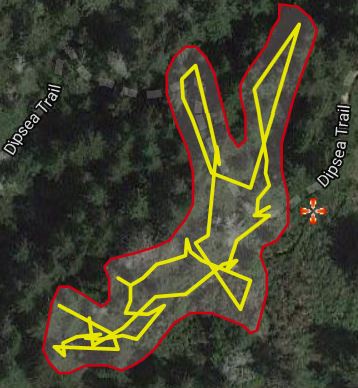
This application can show shape data (lines and polygons) when available.
The grid is an interesting way to bring point data and shape data
together on the same map, at whatever scale.
Here is an example polygon for a weed in Marin Co.:
is shown on over 9,000+ Taxon Report pages.
(See
this note
for more about bloom period and the sources of the data.)
For example, see this page
for
Madia elegans.
An illustrated plant list can also show bloom period,
and sort by the bloom start month.
The
Advanced Search for Plants application
supports searching by a bloom month;
for instance, plants that
bloom during June.
Note that Calflora posts on these social media sites in order
to highlight the work of
Calflora contributors and partners, and
to introduce users to Calflora tools and features.
It is our intention that all of the information we post be accurate.
If you notice something that appears inaccurate,
please contact
Calflora support.
Working with Other Organizations
CNDDB
The California Natural Diversity Database (CNDDB) is a program within the California Department of Fish and Wildlife (CDFW) that tracks the status and locations of rare plants and animals in California. The CNDDB is used by federal and state agencies, private consultants, and conservation organizations and is an essential tool for evaluating rare species conservation in California.
Please visit the
CNDDB website
for additional information.
2020 January
For Calflora contributors who collect rare plant data,
and have set the access value of their observations to be either
obscured
or private,
there is a streamlined way to make those observations available to CNDDB:
In
My Calflora / Preferences,
open Observation Sharing,
and check the box to share original coordinates of obscured records with CNDDB,
or check the box to share private records with CNDDB.
CNDDB staff have a special way to extract records that have been shared in this way.
To use the form recommended by CNDDB for rare plant observations, join the
Specialty group
and use the Rare plants project.
This form was updated in January, 2020 --
several free text entry fields have been replaced by drop down entry fields.
Technical Notes
2020 June: Notifications:
If you see a red circle with a white number in it
next to your name in the upper right corner of the page, it means you have some notifications
from Calflora. Click on the red circle to see the notifications.
You might be notified, for instance, when someone comments on one of your records.
2019 August: Rare Plant Rank Updates:
Calflora is now receiving quarterly rare plant information from the California Natural Diversity Database (CNDDB)
instead of from the CNPS Inventory.
This information includes which plants have a California Rare Plant Rank,
and in which quadrangles those plants have been observed.
2019 February: SSL / HTTPS:
All Calflora pages work only under the HTTPS protocol.
2018 September: SSL / HTTPS:
All Calflora pages work under the HTTPS protocol.
Some pages (when a user might be reading or writing secure information)
only work under the HTTPS protocol.
We are headed in the direction of having most Calflora pages served through HTTPS most of the time.
If you are viewing a page through the insecure HTTP protocol, and your
browser calls out the page as being "Not Secure",
click on the EDIT - SIGN OUT link in the upper right of the page,
and then click
Go to the secure version of this page.
If you are not signed in, the link in the upper right is called
SIGN IN - REGISTER.
Registration:
Before September 27, 2018, there used to be a choice when
you registered with Calflora -- you could choose to register as
as a contributor, or not. This caused confusion, particularly when
people tried to use the phone applications without having registered as
a contributor.
As of September 27, there is no longer a choice -- every new user who
registers will be registered as a contributor.
If you regsitered as a non-contributor before September 27, then
the next time you edit your account, you will be registered as a contributor.
2018 September:
Calflora has a new
Terms of Service
and a new
Privacy Policy.
The Terms of Service clarifies the relationship between
Calflora and its users, and is consistent
with modern best practices for websites like Calflora.
The next time you sign in to Calflora, or make a new account,
you will be asked to agree to the Terms of Service and the Privacy Policy.
In What Grows Here, records whose locations are imprecise are displayed on the map with a white halo around the point.
This feature emphasizes that for some records,
the point indicates a general area where the plant was found, not a specific location.
If you see a red circle with a white number in it
next to your name in the upper right, it means you have notifications.
2020 May
The May Photo Contest happened, this year with a twist:
Any observation submitted during May, 2020 counts as an entry.
It does not matter when the photo was taken.
Calflora map applications show stream names, and can highlight the course of streams --
from the California Streams dataset, California Department of Fish and Widlife.
2019 June
The May 2019 Photo Contest is complete!
Congratulations to Sue Graue, Ron Vanderhoff, and Jeff Bisbee.
The
Monarch Nectar plant list
just updated courtesy of the Xerces Society.
These are plants suitable for a garden or restoration project.
Here is a
What Grows Here? search showing commercially available nectar plants growing wild near Irvine, Orange Co.
Move the map to your location, and find Monarch nectar plants that grow nearby.
The Google Maps 'cinemascope' button (AKA fullscreen toggle)
now works in all Calflora map applications.
Press the button in the upper right of the map.
2018 October
There is a new edit icon in many Calflora applications, a violet crayon:
v. 2.03 of the Plant Distribution application
indicates the range of a plant by highlighting watersheds where the plant has been observed.
(See these
Design Notes for a further explanation.)
2017 August
Here is an interesting feature of
Great Places:
Various places can be compared by DENSITY, meaning the number of distinct native
species per acre. The
Forrest Deaner Native Plant Botanic Garden in Benicia is the current leader.
2017 July
The Shape Editor
has improved polygon generating capabilites.
In the news:
Management of Biological Invasions (2015) Volume 6, Issue 3: 231-241 The San Francisco Bay Area Early Detection Network Mark Frey, Mike Perlmutter, Andrea Williams, Dan Gluesenkamp

 VIDEO
VIDEO
 LOCATION, and enter the name.
When you choose from the list of matching names, the map will jump to that place.
LOCATION, and enter the name.
When you choose from the list of matching names, the map will jump to that place.
 to each plant. A set of plant - icon assignments is called a palette.


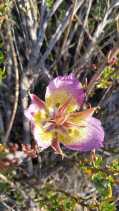
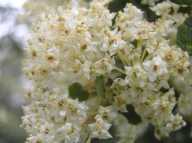











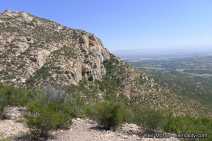
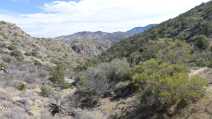
Iron Mountain and Ellie Lane Trails, Poway